Firebase Realtime Database - The most convenient way to debug on Flutter
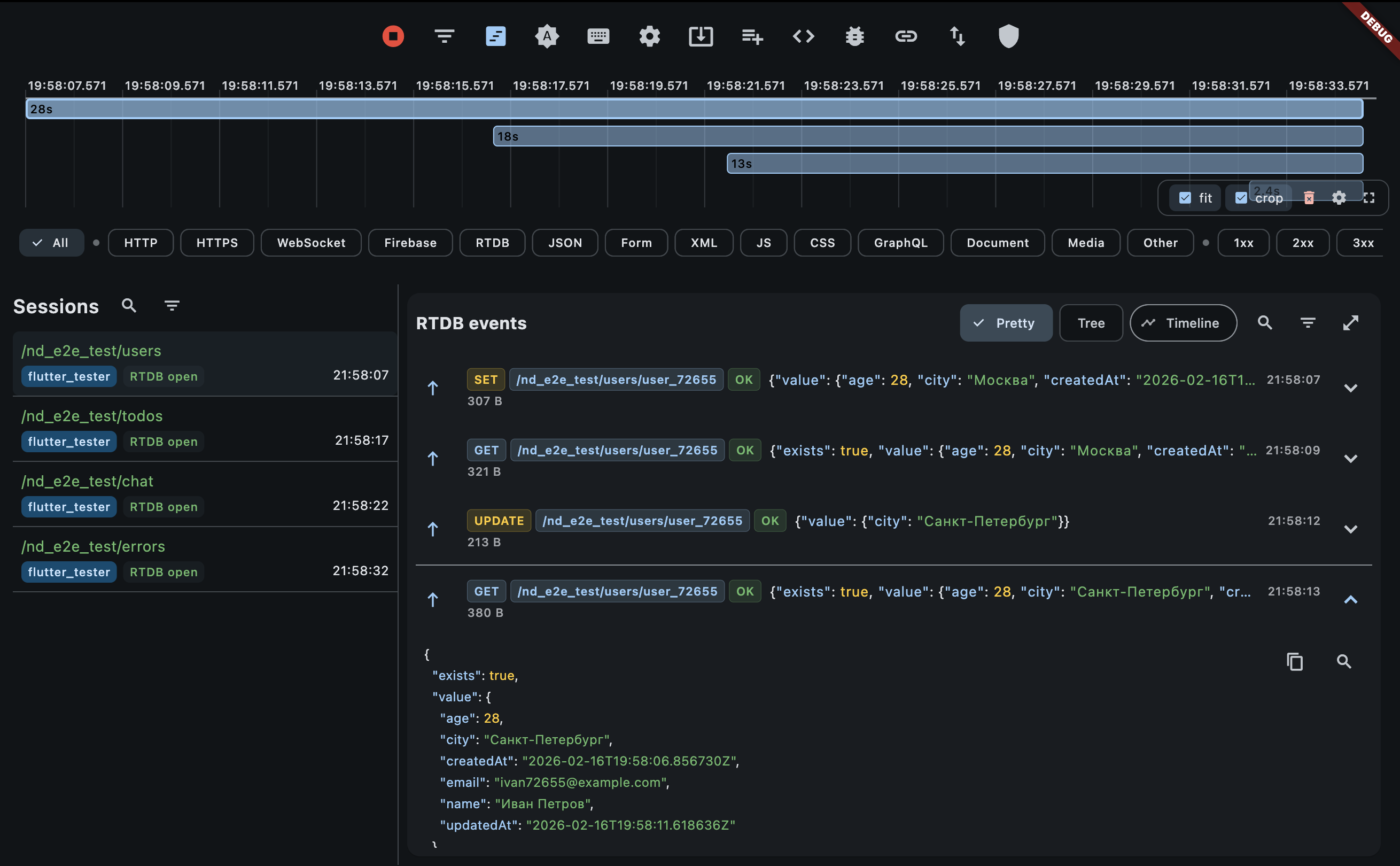
Intercept Firebase RTDB operations and see them in the Network Debugger UI.
Quick start
1. Install
flutter pub add firebase_database_debugger2. Init (debug only)
import 'package:firebase_database/firebase_database.dart';
import 'package:firebase_database_debugger/firebase_database_debugger.dart';
import 'package:flutter/foundation.dart';

final debugger = FirebaseDatabaseDebugger(
  config: FirebaseDatabaseDebuggerConfig(
    enabled: kDebugMode,
  ),
);

void main() {
  WidgetsFlutterBinding.ensureInitialized();
  // ... Firebase.initializeApp() etc.

  runApp(MyApp());
}
3. Wrap your refs
final ref = debugger.ref(FirebaseDatabase.instance.ref('users/alice'));

await ref.set({'name': 'Alice', 'age': 30});  // logged as SET
await ref.get();                                // logged as GET
await ref.update({'age': 31});                  // logged as UPDATE
await ref.remove();                             // logged as REMOVE
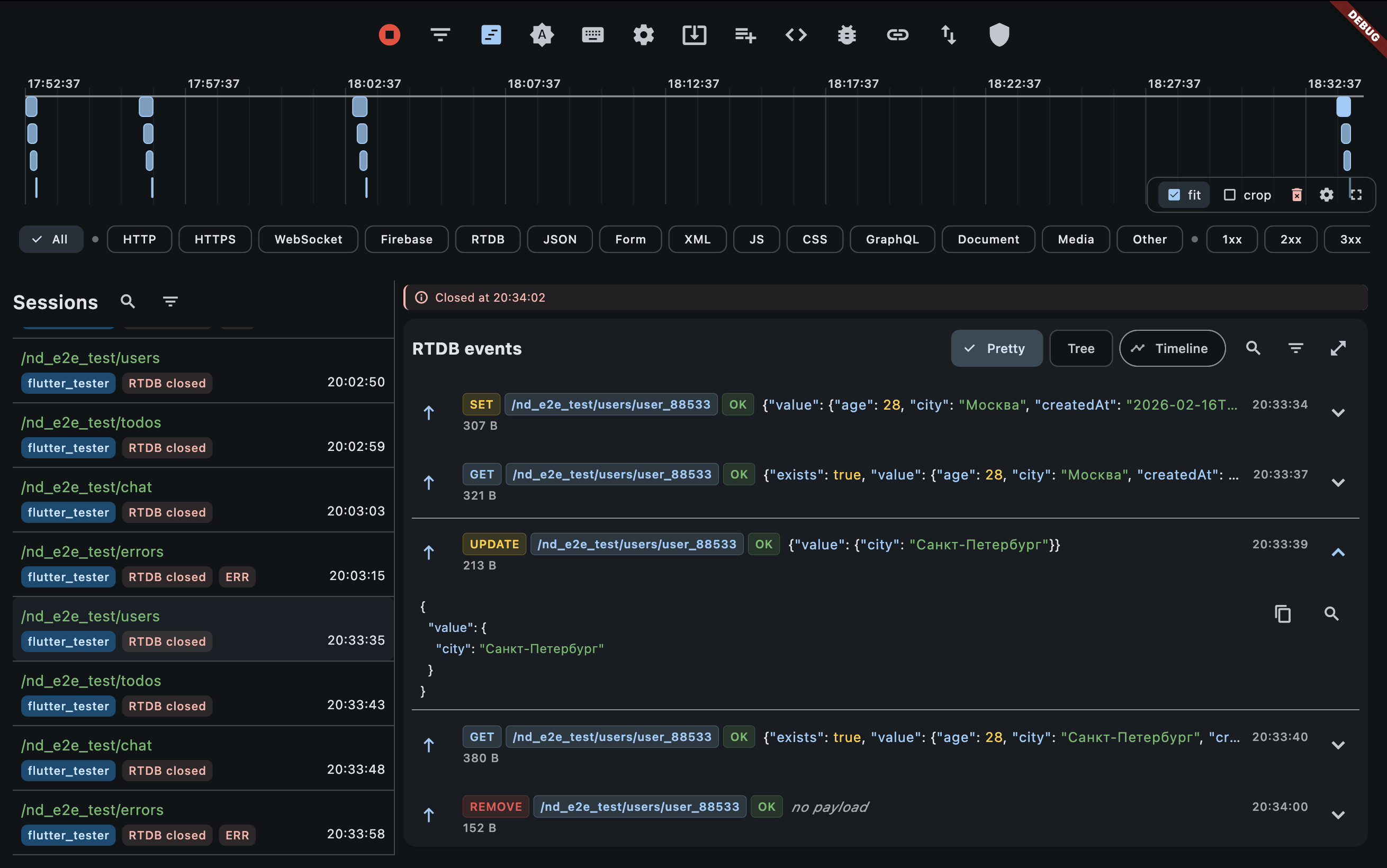
That's it — open the Network Debugger app (web UI or desktop app) and you'll see every operation with payload, timing and status. For setup instructions, see the Quick Start Guide.
TIP
If the Network Debugger backend is not running, events are silently dropped — the app won't crash or slow down.
Listeners
ref.onValue.listen((event) {
  print(event.snapshot.value);
});
// UI shows: listen_start, then onValue for each update
Nested paths
child() returns a DebugDatabaseReference, so logging is preserved:
final messages = debugger.ref(db.ref('chats/room1/messages'));
await messages.child('msg1').set({'text': 'hello'});
await messages.child('msg2').set({'text': 'world'});
Queries
Wrap with debugger.query() for orderByChild, limitToLast, etc.:
final query = debugger.query(
  db.ref('messages').orderByChild('timestamp').limitToLast(50),
);

await query.get();                        // query_get
query.onValue.listen((event) { });        // onValue
query.onChildAdded.listen((event) { });   // onChildAdded
query.onChildChanged.listen((event) { }); // onChildChanged
query.onChildRemoved.listen((event) { }); // onChildRemoved
Session grouping
By default each unique path is a separate session. Use sessionPathDepth to group related operations:
FirebaseDatabaseDebuggerConfig(
  sessionPathDepth: 2,
)
sessionPathDepth | Behavior | Example |
|---|---|---|
-1 (default) | One session per full path | /users/alice and /users/bob — two sessions |
0 | Single session for entire database | Everything in one session |
1 | Group by first segment | /users/alice and /users/bob → session /users |
2 | Group by two segments | /users/alice/profile and /users/alice/settings → /users/alice |
UI filters
The filter button on an RTDB session opens Firebase-specific filters:
- Operation — dynamic list built from actual operations in the session (
set,get,update,remove,onValue,query_get,onChildAdded, etc.) - Status —
OK/Error - Path contains — substring match on the event path (e.g.
/alice)
Cleanup
await debugger.dispose();Flushes buffered events and closes all sessions.
Configuration reference
| Parameter | Default | Description |
|---|---|---|
debuggerBaseUrl | http://10.0.2.2:9092 on Android emulator, otherwise http://localhost:9092 | Network Debugger backend URL |
enabled | true | Set false to disable logging entirely |
sessionPathDepth | -1 | Session grouping (see above) |
flushInterval | 200ms | How often buffered events are sent |
maxBatchFrames | 100 | Max events per batch |
previewBodyThresholdBytes | 16 KB | Threshold before large payloads are base64-spilled |
You can override defaults with --dart-define:
FIREBASE_DATABASE_DEBUGGER_BASE_URL(orFIREBASE_DEBUGGER_BASE_URL)FIREBASE_DATABASE_DEBUGGER_ENABLED(orFIREBASE_DEBUGGER_ENABLED)